Attach evidence
Every audit-ready control needs at least one typed evidence artifact. The attach flow makes you declare what the artifact is, what it covers, and when it expires — because that is what a CAB auditor checks.
Where to start
Open any control page. Under the Evidence heading you will see either the artifacts already attached or the prompt "No evidence linked yet. Attach at least one artifact before audit." Click Attach evidence to open the modal.
Fill in the artifact
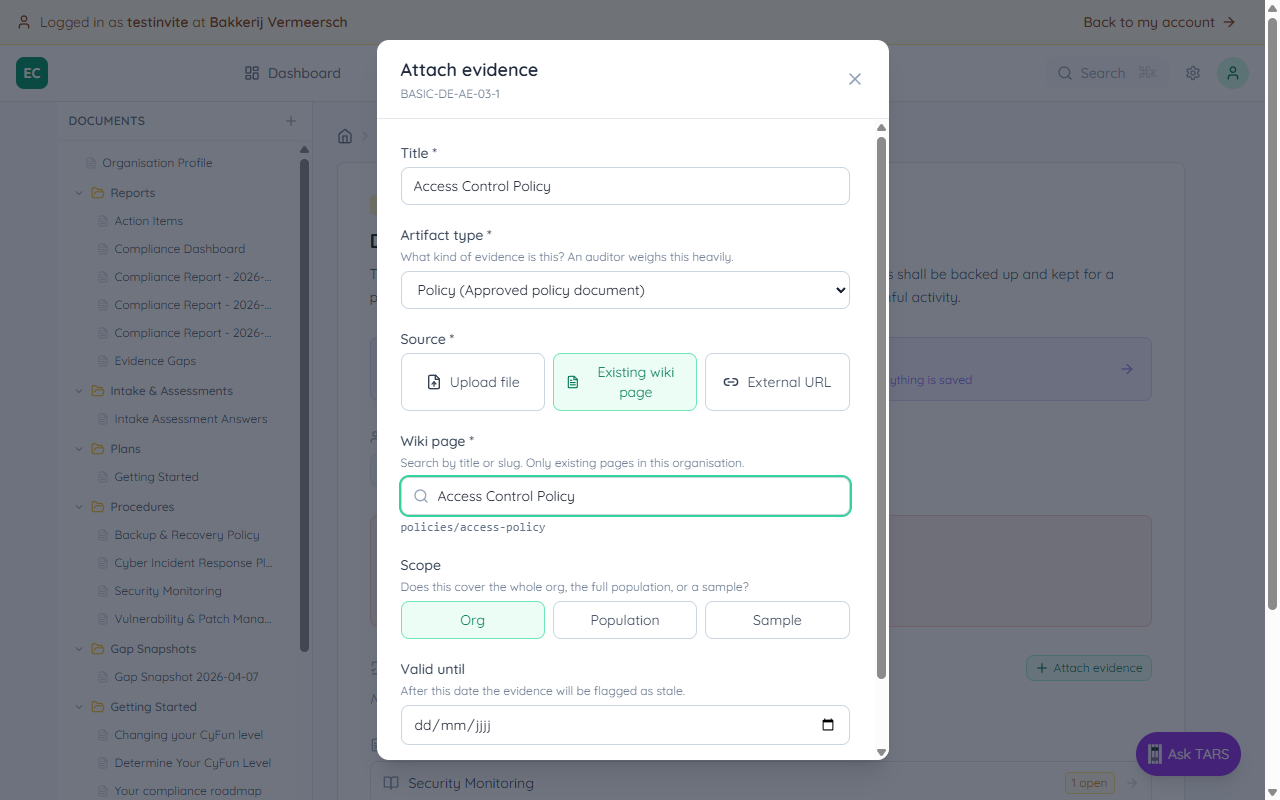
The modal has five required decisions. Each one matches a question an auditor will ask.
| Field | What to put |
|---|---|
| Title | A human-readable name, e.g. "Access Control Policy v2.1" |
| Artifact type | Policy, procedure, inventory, log, test result, incident record, exercise record, config snapshot, training record, external attestation, or acknowledgment |
| Source | Upload file, Existing wiki page, or External URL |
| Scope | Org (whole organisation), Population (all of a declared group, e.g. all devices), or Sample (representative subset) |
| Valid until | After this date the punch list flags the artifact as Stale — the auditor will reject out-of-date logs and tests |
Search an existing wiki page
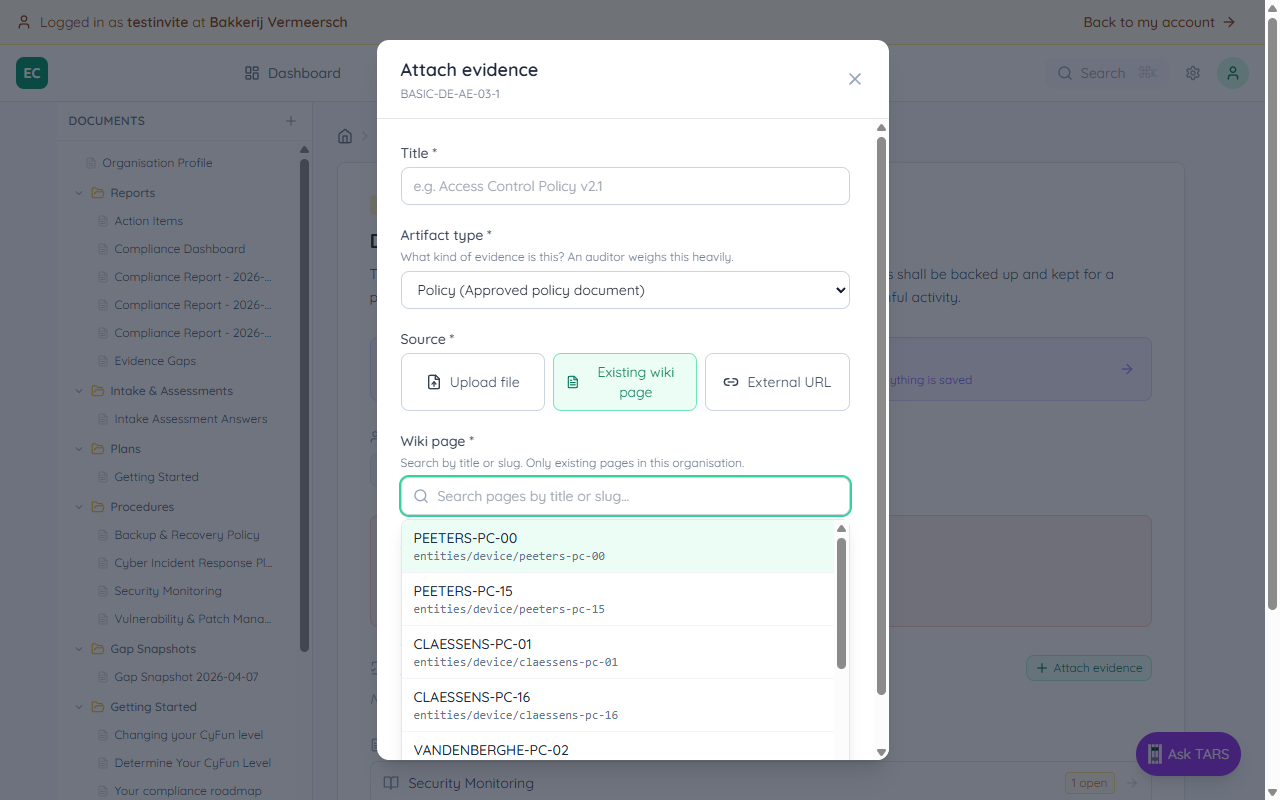
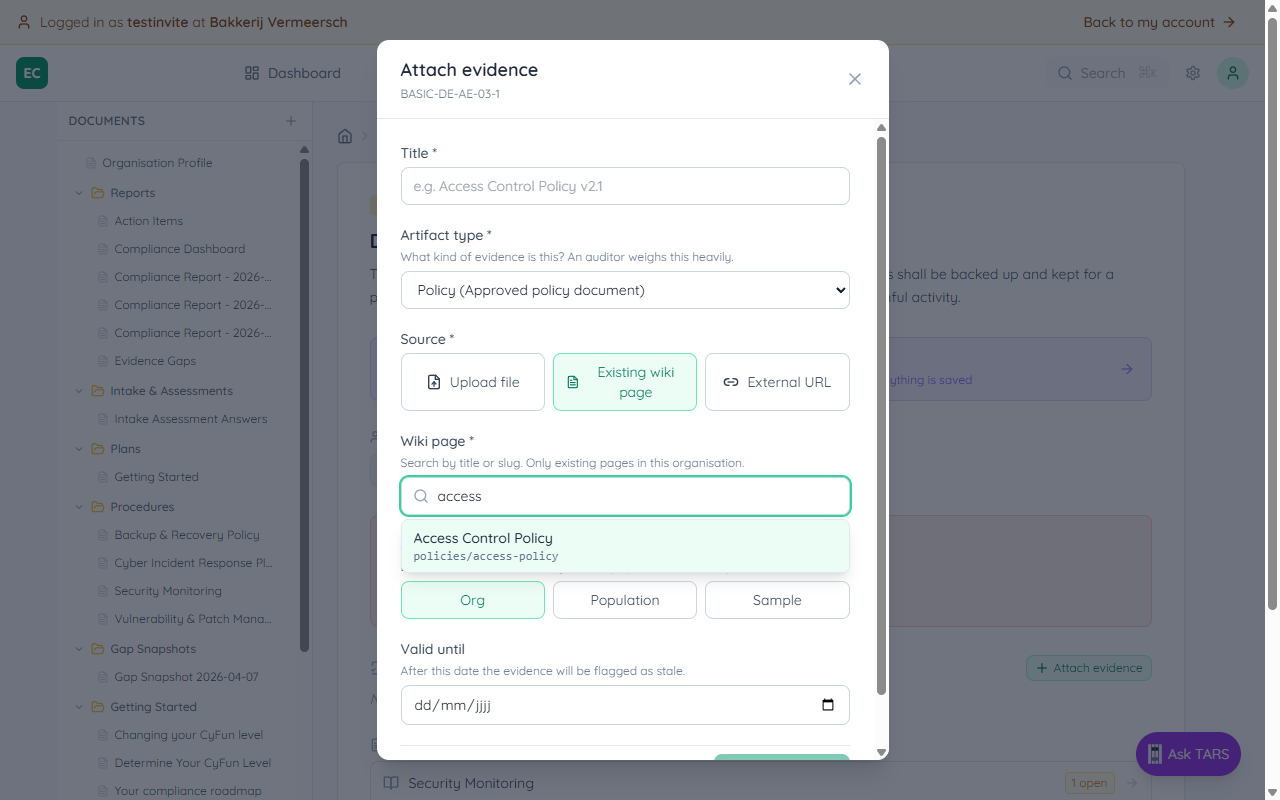
When the source is another document you already wrote — a policy, a procedure, an entity register — pick Existing wiki page and start typing. The picker searches by title or slug, limits results to active pages in the current organisation, and auto-fills the title field once you select.
What happens after you attach
- The control page lists the artifact with its type badge, scope and expiry
- The audit punch list moves this control from No evidence toward Ready — the exact bucket depends on whether the type, scope, and population match the control's declared requirements
- Your compliance score updates immediately — no rebuild, no page refresh